LUTs that look real.
Built for your camera's sensor, not someone else's footage. Drop one on and the shot is finished: skin stays skin, and bright areas fade gently instead of turning into flat white.
For DaVinci Resolve. RED, Canon, Sony, Nikon and Apple log.
Five looks, one file each. No grading, just the LUT.
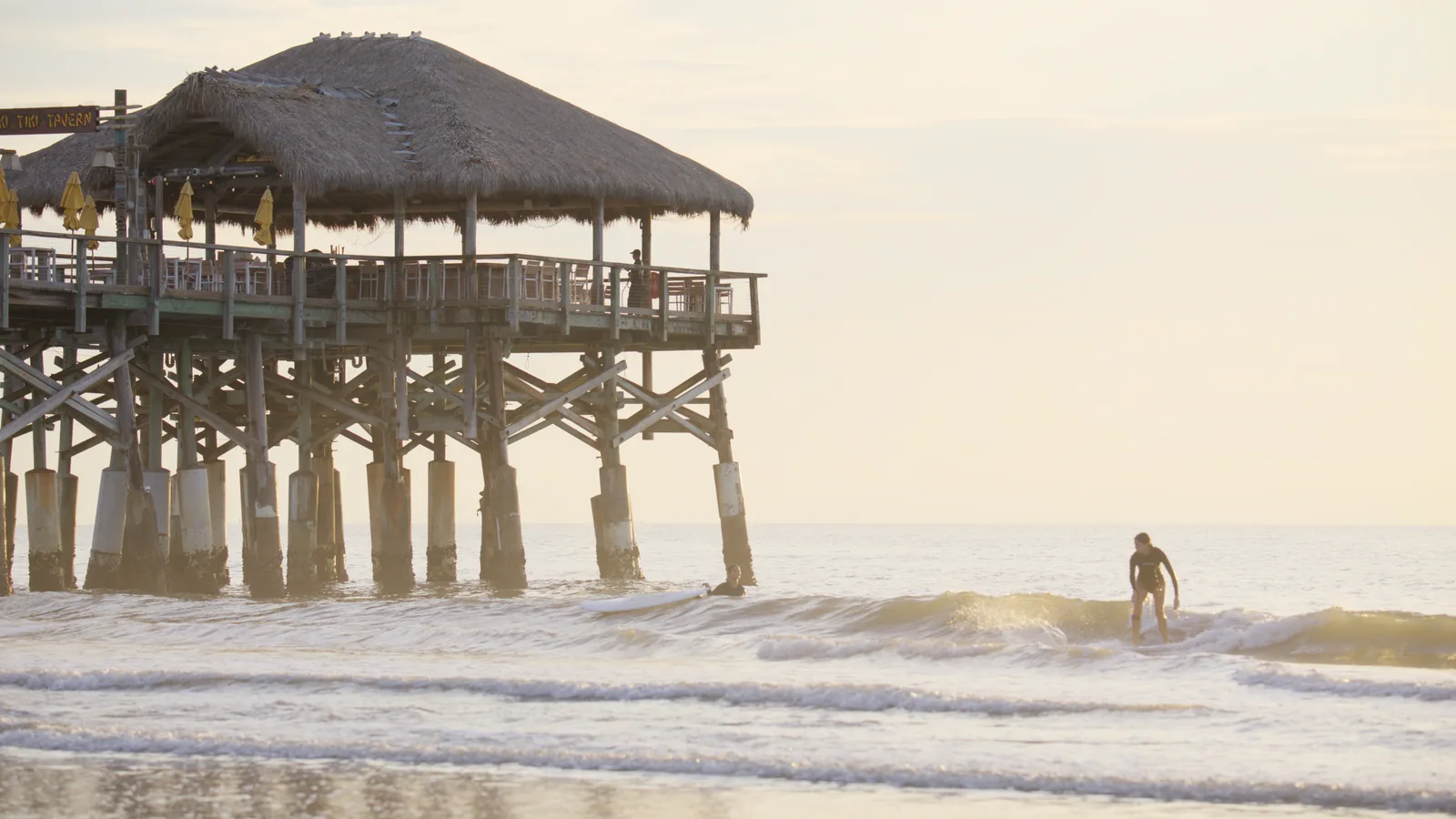
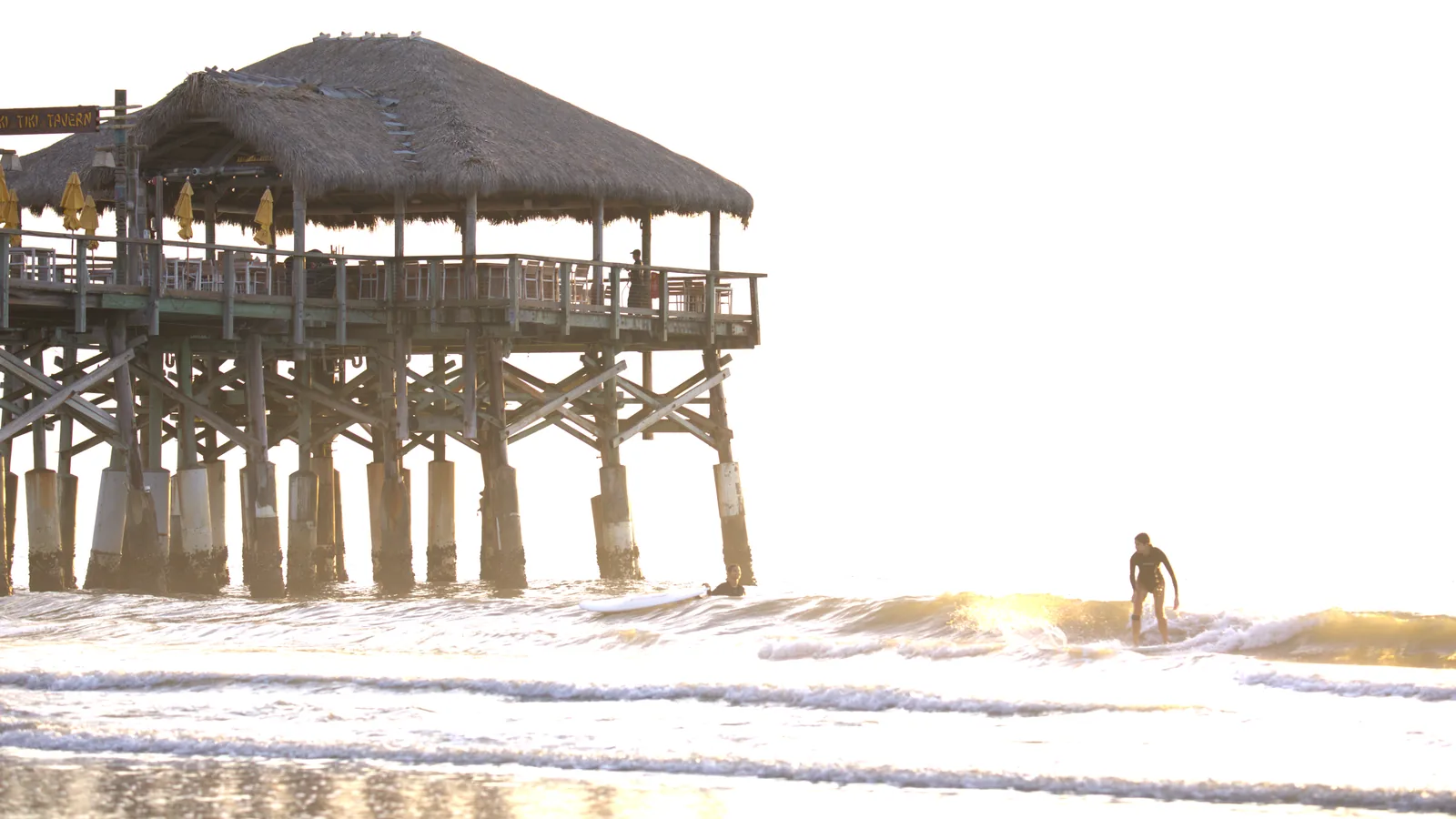
Same frame. One of them throws the sky away.
Sunrise at the pier. Everything above the horizon is where a conversion is decided.
 Without PursuitLuts
PursuitLuts: Film
Without PursuitLuts
PursuitLuts: Film
Drag the line across. Left of it is the shot without PursuitLuts, right of it is the same shot with the Film look. Same file, same exposure.
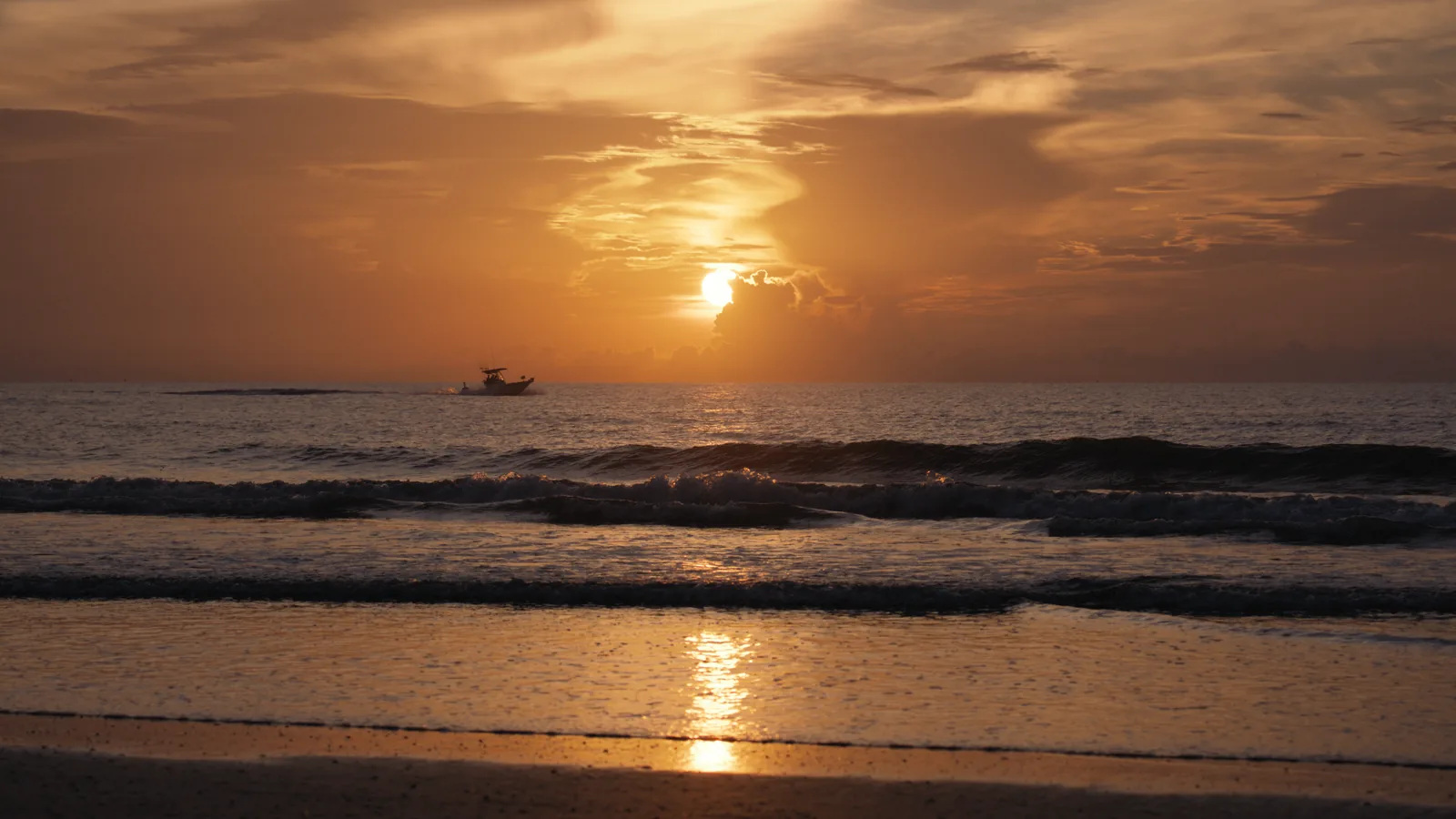
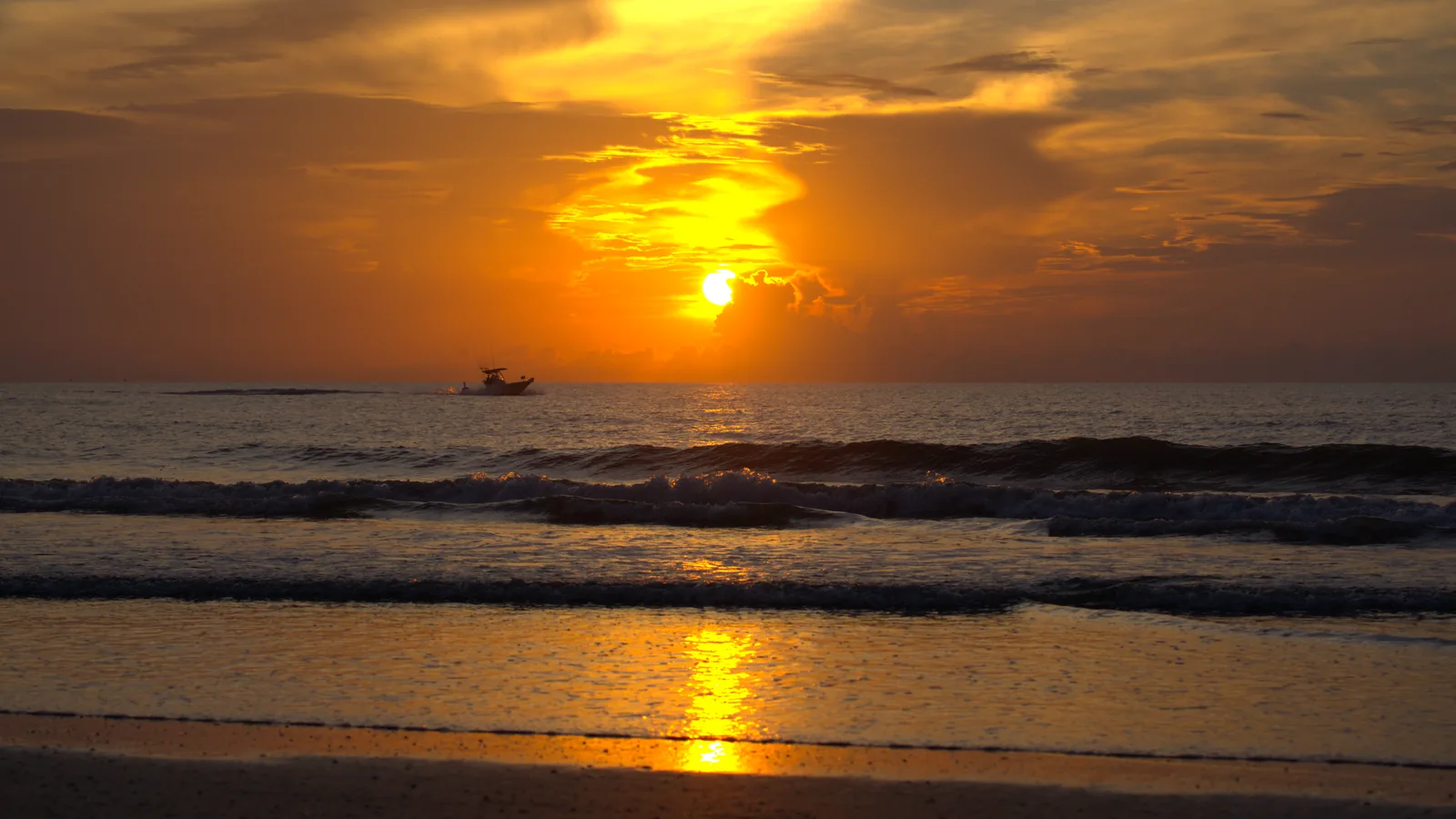
And the hardest one: the sun itself
Sunrise over the Atlantic, sun in frame. Bright, warm and saturated all at once, which is where conversions either keep the color or wash it out.
 Without PursuitLuts
PursuitLuts: Golden Hour
Without PursuitLuts
PursuitLuts: Golden Hour
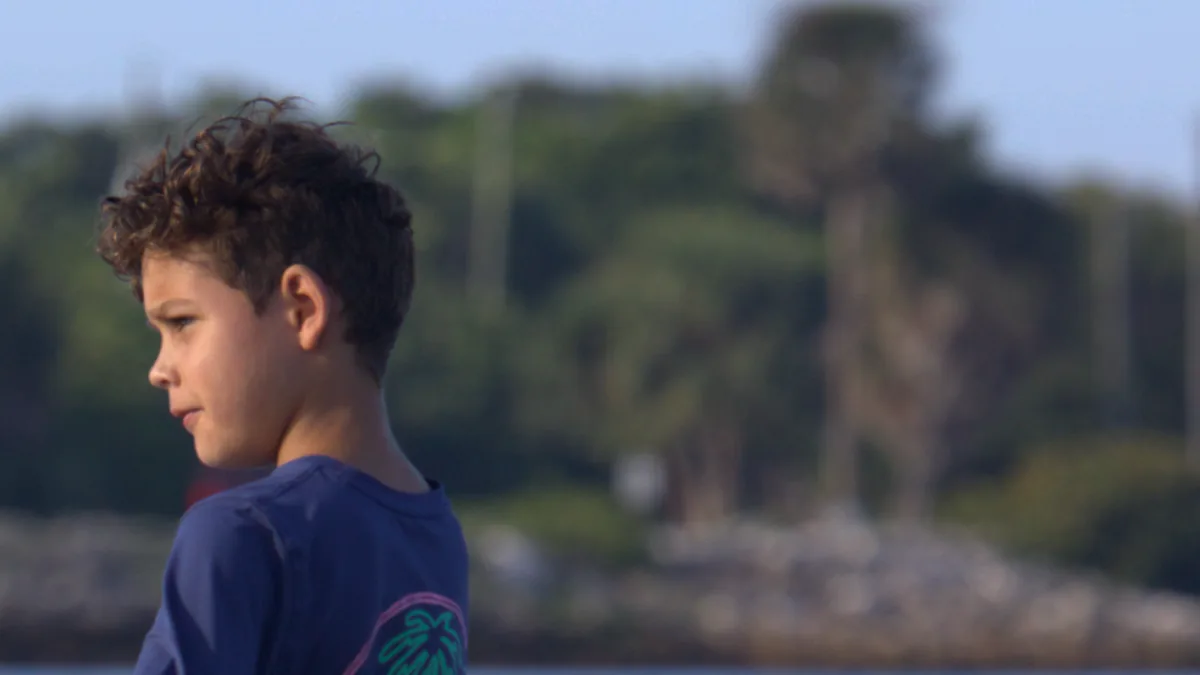
Skin, which is what everyone judges
A face in afternoon light. Skin is the one thing an audience knows by heart, so it's where a LUT is believed or not.
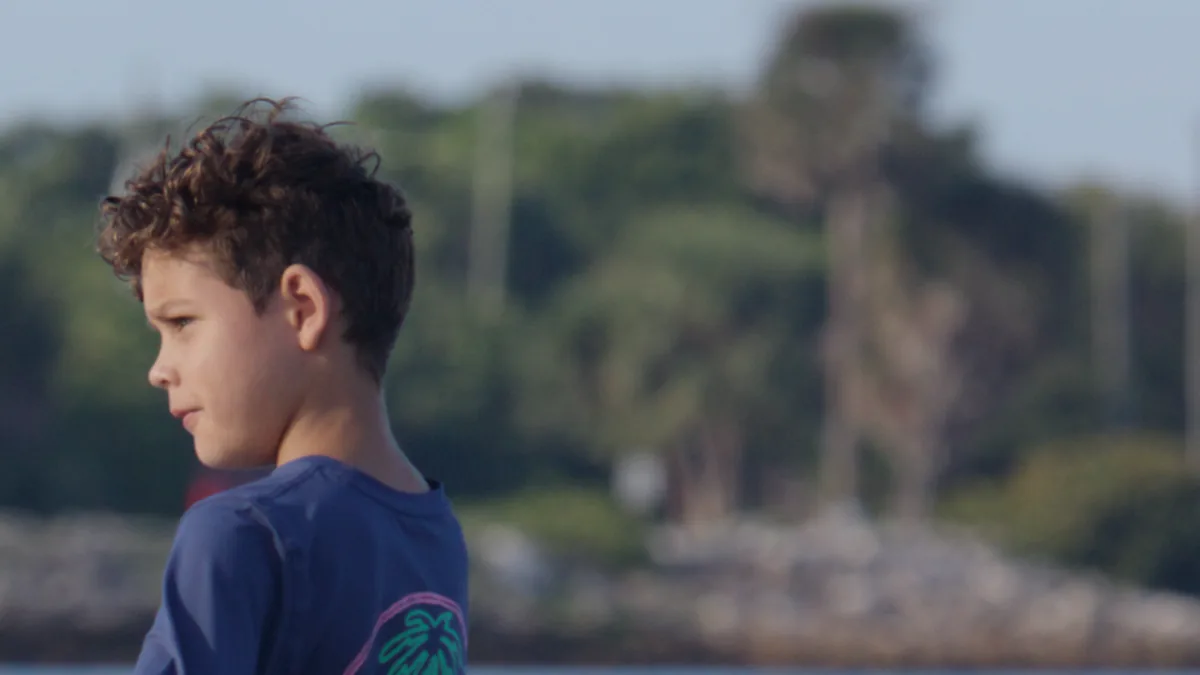
 Without PursuitLuts
PursuitLuts: Base
Without PursuitLuts
PursuitLuts: Base
Nothing in this frame is bright enough to blow out, so there is no highlight story here. The difference is color. Measured on his cheek, our version lands in the middle of the range real skin occupies. Without PursuitLuts it drifts towards red, with more color, which is the sunburnt direction.
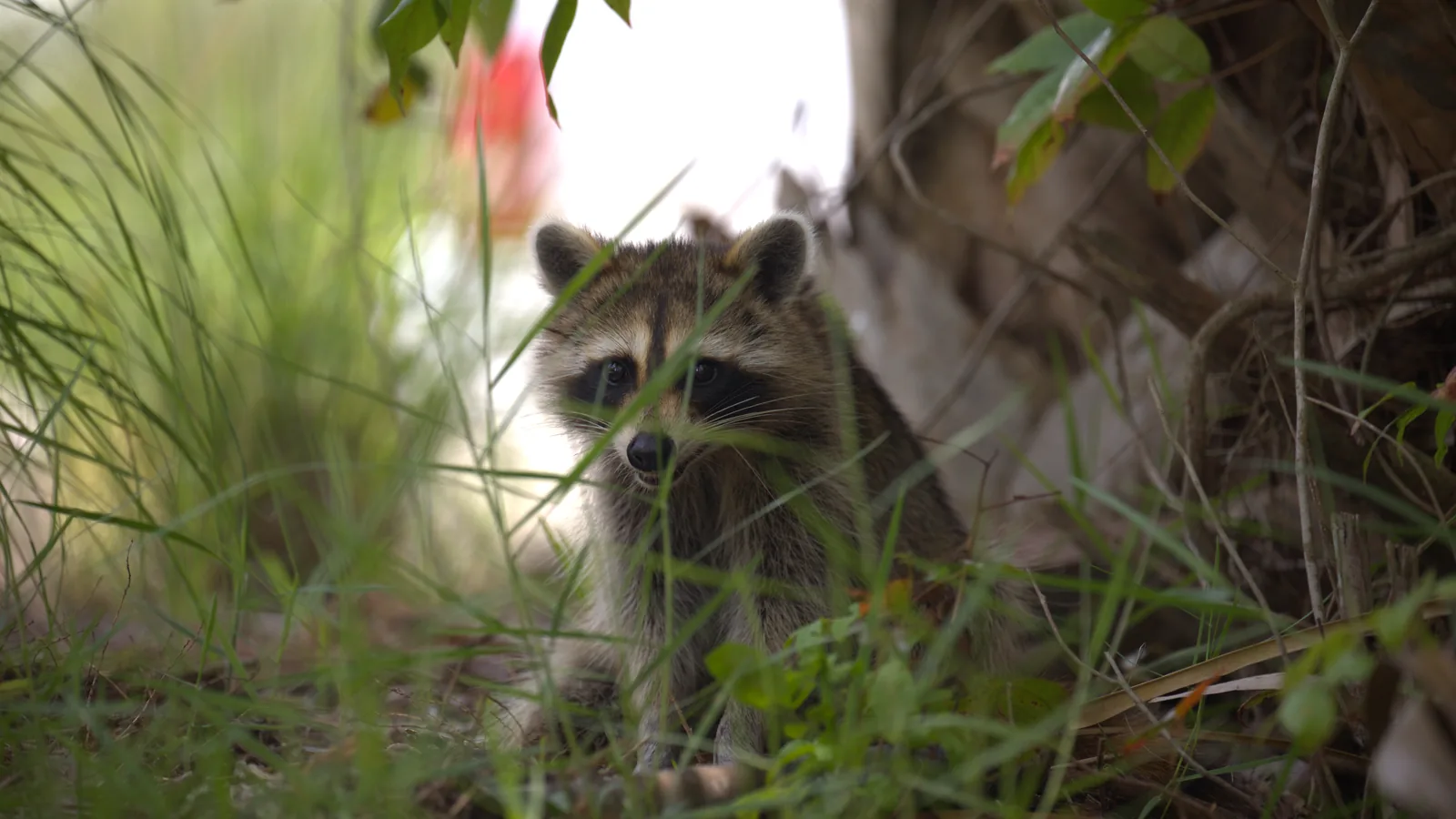
Bright background, subject in the shade
The everyday version of the same problem. Anything behind your subject that catches the sun is where detail quietly disappears.
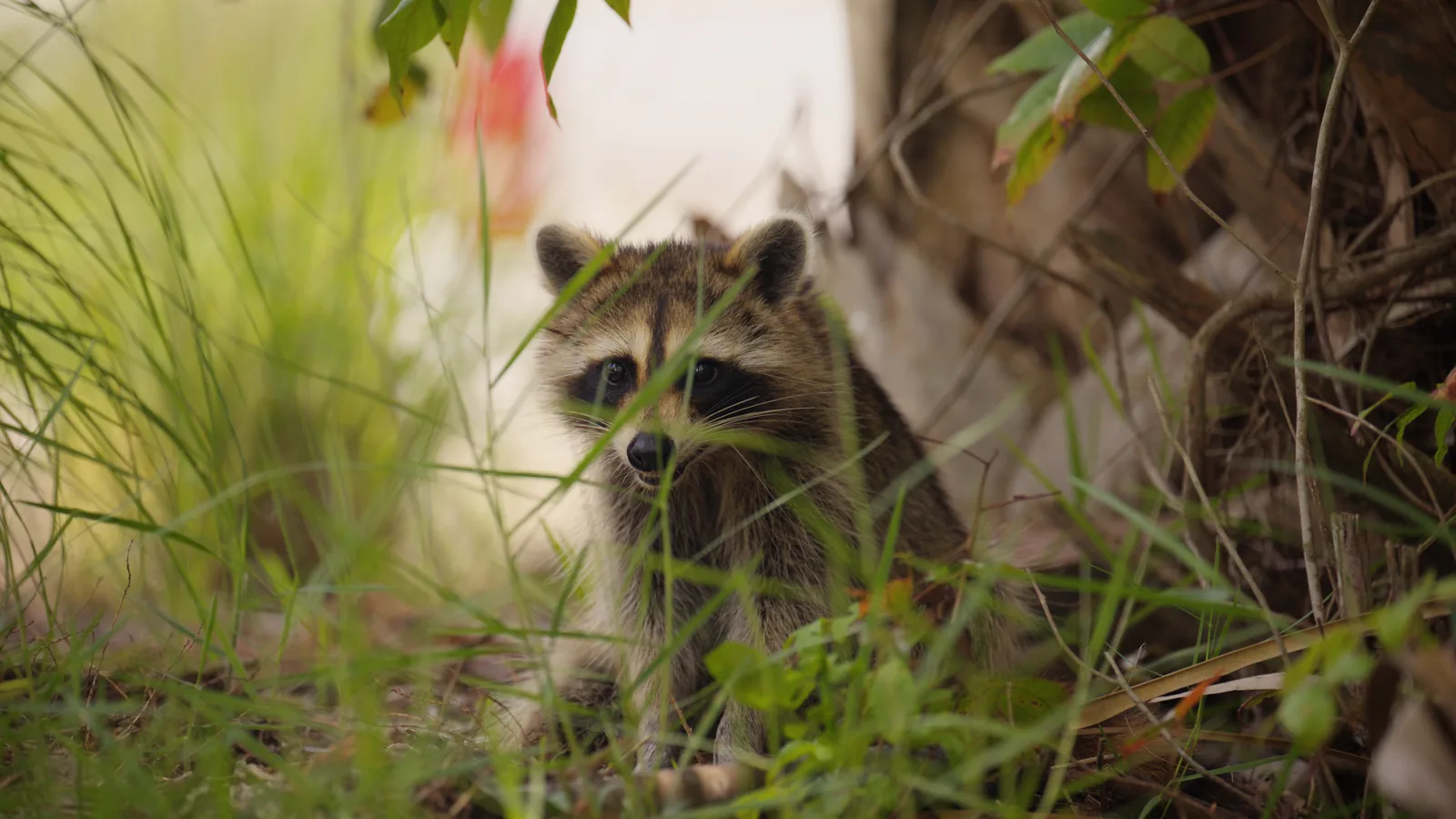
 Without PursuitLuts
PursuitLuts: Travel
Without PursuitLuts
PursuitLuts: Travel
From flat to finished
No grading, no tricks. The only thing between these two pictures is one PursuitLuts file on the last node.
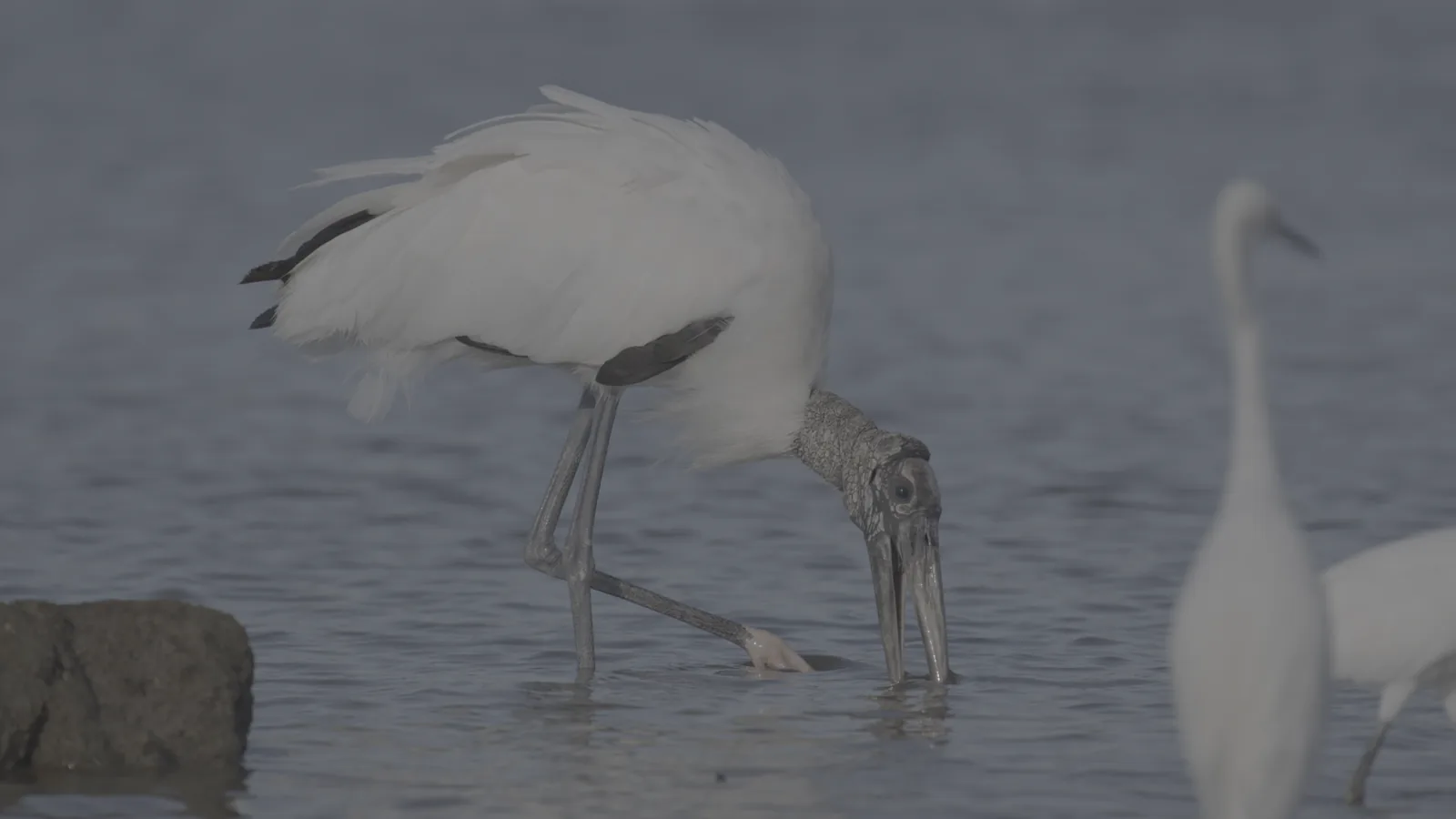

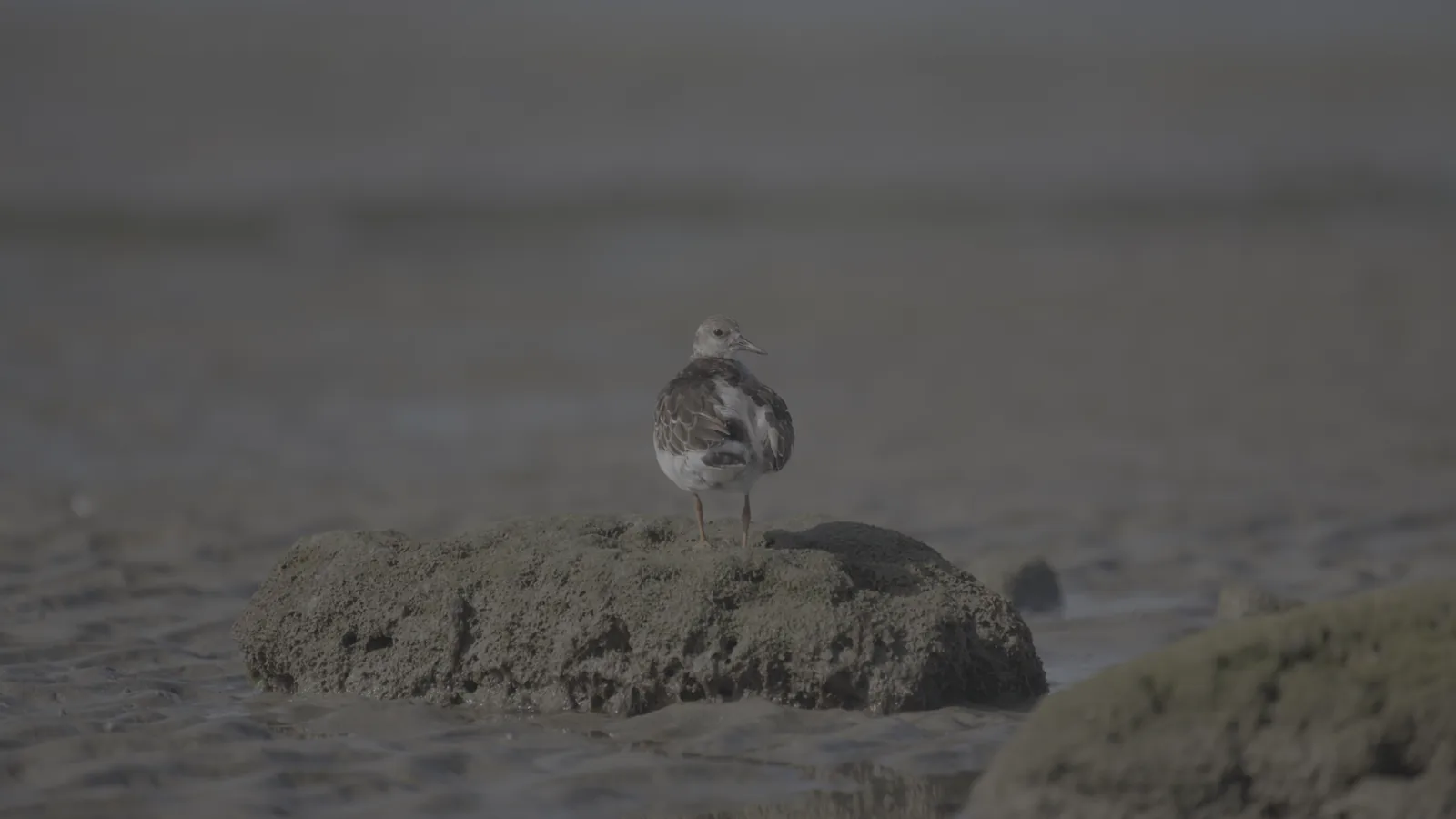

Another frame from the same morning. The moss on the rock is green again and the wet sand is warm, without pushing either one.
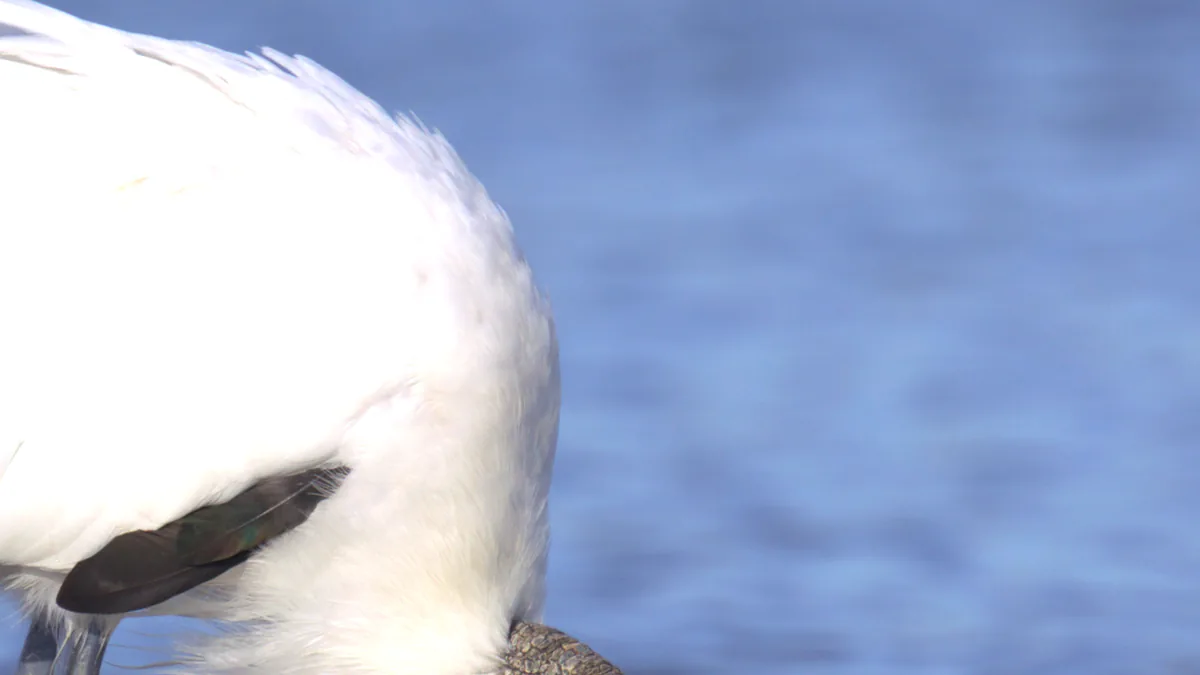
The part that's hard: white in full sun
Same frame, zoomed into the stork's back. This is where a conversion either holds or gives up.
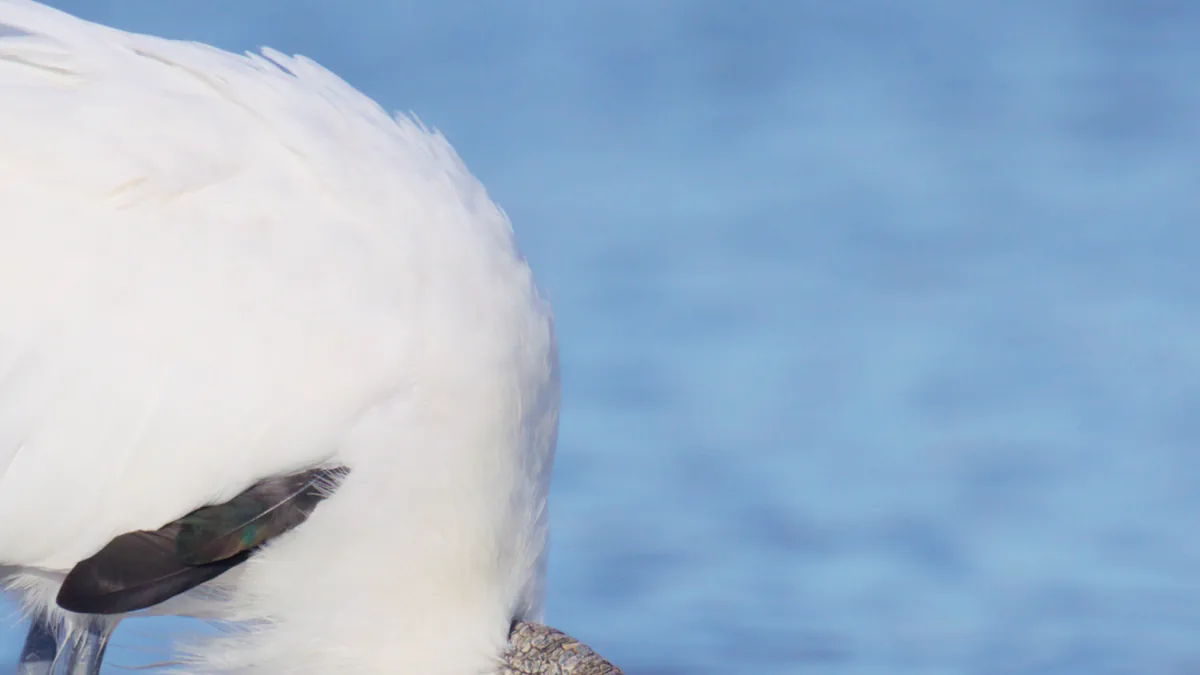
 Without PursuitLuts
PursuitLuts: Outdoor
Without PursuitLuts
PursuitLuts: Outdoor
Why that happens
Each strip below is every color, turned up from very dark on the left to very bright on the right. Think sunsets, stage lights, neon signs, sun on skin.


Why so many LUTs look fake
Someone else's camera
A grade made by eye on one camera, then sold to every camera. Your sensor sees color differently, so it never sits right.
Pushed for the thumbnail
Extra saturation and contrast look bold in a preview. On a face they turn skin orange and skies cyan.
Hard clips and tinted blacks
Highlights slam into white and black picks up a color cast. That's the moment footage stops looking real.
How PursuitLuts works
-
1
It fits the sensor
Cinema cameras record a flat, gray-looking image called log, which keeps extra detail in the brights and darks. Each PursuitLuts file turns your camera's log into a finished picture using the exact math your camera's maker publishes. No extra conversion step.
-
2
It looks real
Bright areas fade gently instead of hitting a wall. Colors too strong for a normal screen are eased in instead of going neon. Skin stays skin.
-
3
It does the whole job
Conversion and look in one file, so most shots are finished the moment you drop it on. If a shot does need brightness or color balance fixed, do that first and leave the LUT last. You are then working with everything the camera recorded, not what is left after the picture has been squeezed to fit a screen.
Measured, not just eyeballed
Measured against a color chart
No two camera sensors see color quite the same way. We filmed a color chart whose true colors are published, measured what the camera made of it, and built the correction into the RED, Nikon and Canon files.
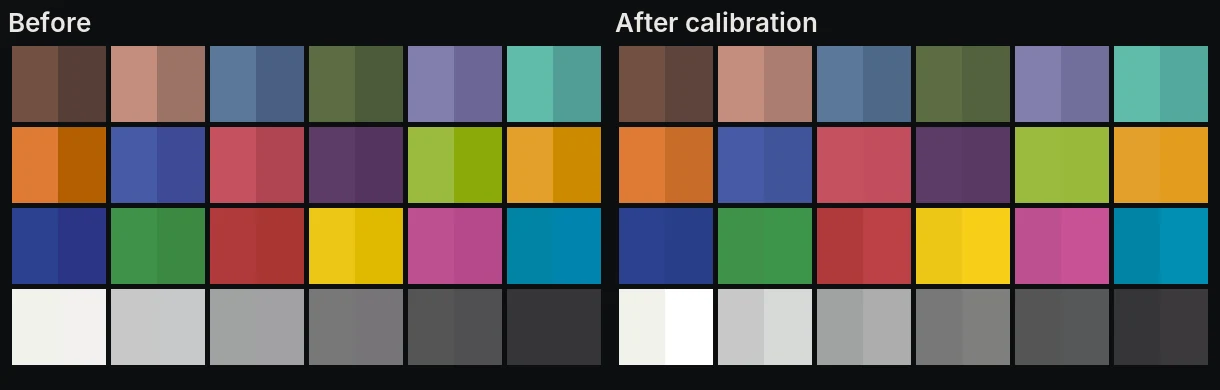
This is in the RED, Nikon and Canon files today, measured on a V-Raptor [X] 8K VV, a Z8 and a C70. Each conversion started in a different place, so each gained a different amount: RED 5.1 to 2.9, Canon 2.8 to 1.6, Nikon 3.0 to 2.4, all on frames the correction had never seen. Sony is built from the maker's published conversion and checked against Resolve, and gets the same treatment once we have measured that sensor.
Cameras and files
RED
Log3G10, REDWideGamutRGB
Canon
Canon Log 2 and Canon Log 3, Cinema Gamut
Sony
S-Log3, S-Gamut3.Cine and S-Gamut3
Nikon
N-Log, N-Gamut
Apple
Apple Log, iPhone ProRes Log
Every camera comes in three versions, each in its own folder. Web is for YouTube, social media, laptops and phones, and it's the one most people want. TV is for broadcast and professional monitors. Cinema is for projectors only, not Mac or iPhone screens.
Five looks in every pack





The same colors through each look
Every color, dark on the left to very bright on the right, with a gray ramp along the bottom. It is the quickest way to see what a look actually does.





Pick your camera
All five cameras
RED, Canon, Sony, Nikon and Apple. Every log format, every output, all five looks. 105 files.
$79 one time
Secure checkout by Stripe. Instant download, yours to keep.
Or run the math itself: PursuitLuts DCTL
The same color science with controls on it: look, strength, exposure and warmth as sliders, with exposure running in scene light before the look, where a LUT cannot reach. One file covers TV, web and cinema. It is the math itself rather than a grid of stored colors, which we measured: it matches to 0.015 of 1023. Honestly though, on our 65 point LUTs the interpolation you would be avoiding is already below what a person can see. The measurements are here.
DaVinci Resolve Studio only. DCTLs do not load in the free version, so if you use free Resolve the LUT pack above is the one you want.
DCTL for RED
Log3G10 / REDWideGamutRGB, with our chart calibration built in
$79
DCTL for Sony
S-Log3 / S-Gamut3.Cine and S-Gamut3, one file each
$79
DCTL for Canon
Canon Log 2 and Log 3 / Cinema Gamut, one file each
$79
DCTL for Nikon
N-Log / N-Gamut
$79
DCTL for Apple Log
Apple Log, iPhone ProRes Log
$79
All five cameras, DCTL
Every PursuitLuts DCTL: RED, Canon, Sony, Nikon and Apple, seven files covering every log format. Separately they are $395.
$199 one time
Four looks in each: Base, Film, Outdoor and Travel. Golden Hour stays in the LUT pack, because it was fitted from a hand grade and is a measured grid rather than a formula. The RED, Nikon, Canon and Apple Log files carry our chart calibration and the Sony one is checked on real Sony footage.
Guides
What we learned building these, written down plainly.
- How to install a LUT in DaVinci ResolveWhere the files go, where the LUT belongs in your nodes, and the three settings that make a good LUT look wrong.
- Color Space Transform settings for every cameraThe exact input to choose for RED, Canon, Sony, Nikon and Apple, and what tone mapping and gamut mapping really do.
- Canon Log 2 or Canon Log 3How to tell which you shot, and the 0.15 stop difference nobody writes down.
- How we checked our LUTs against Resolve itselfWe had Resolve generate LUTs from its own conversion and compared, for six formats.
- Using these LUTs in Premiere Pro and Final Cut ProThe same files work in both. What changes is the one setting that stops each app converting your log footage first.
Questions
What's a LUT, and what's log?
Most cinema cameras can record log, a flat, gray-looking image that holds more detail than a normal video file. A LUT is a small file that turns that flat image into a finished picture in one step. PursuitLuts are LUTs made for your specific camera.
Does it work in the free version of Resolve?
Yes. They're standard .cube LUTs, which the free version reads.
Do I still need a Color Space Transform node?
No. The conversion from your camera's log is built into each file. For RAW clips, set the Camera Raw tab to your camera's log and gamut, which the README lists.
Will it work in Premiere or Final Cut?
Yes, the same files. Both apps convert log footage on their own by default, which would double up with the LUT, so each needs one setting changed first. Here is how, for both.
Where do I put it?
Last. In Resolve that is your last node, in Premiere and Final Cut the bottom of the effects list. Usually that is all you do. If a shot needs brightness or color balance fixed, do it before the LUT: in the Camera Raw tab for RAW footage, or in a node before it with Offset and Temp and Tint.